Offer times. Get one back.
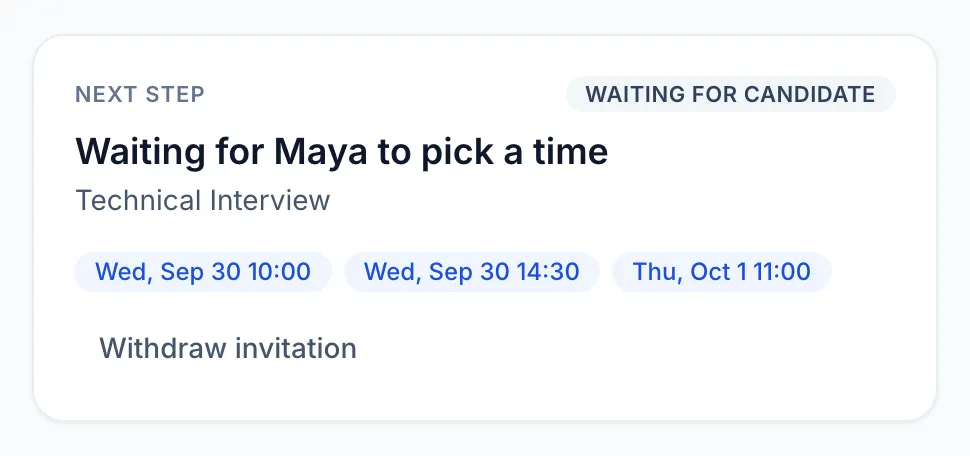
Offer up to twelve interview times in your time zone. The candidate picks one in theirs, and it's on your calendar, with invitations still waiting for a time listed too.

For hiring teams
Jobs, pipelines, interviews and decisions in one workspace, and every candidate kept in the loop without a single status email.

Your dashboard
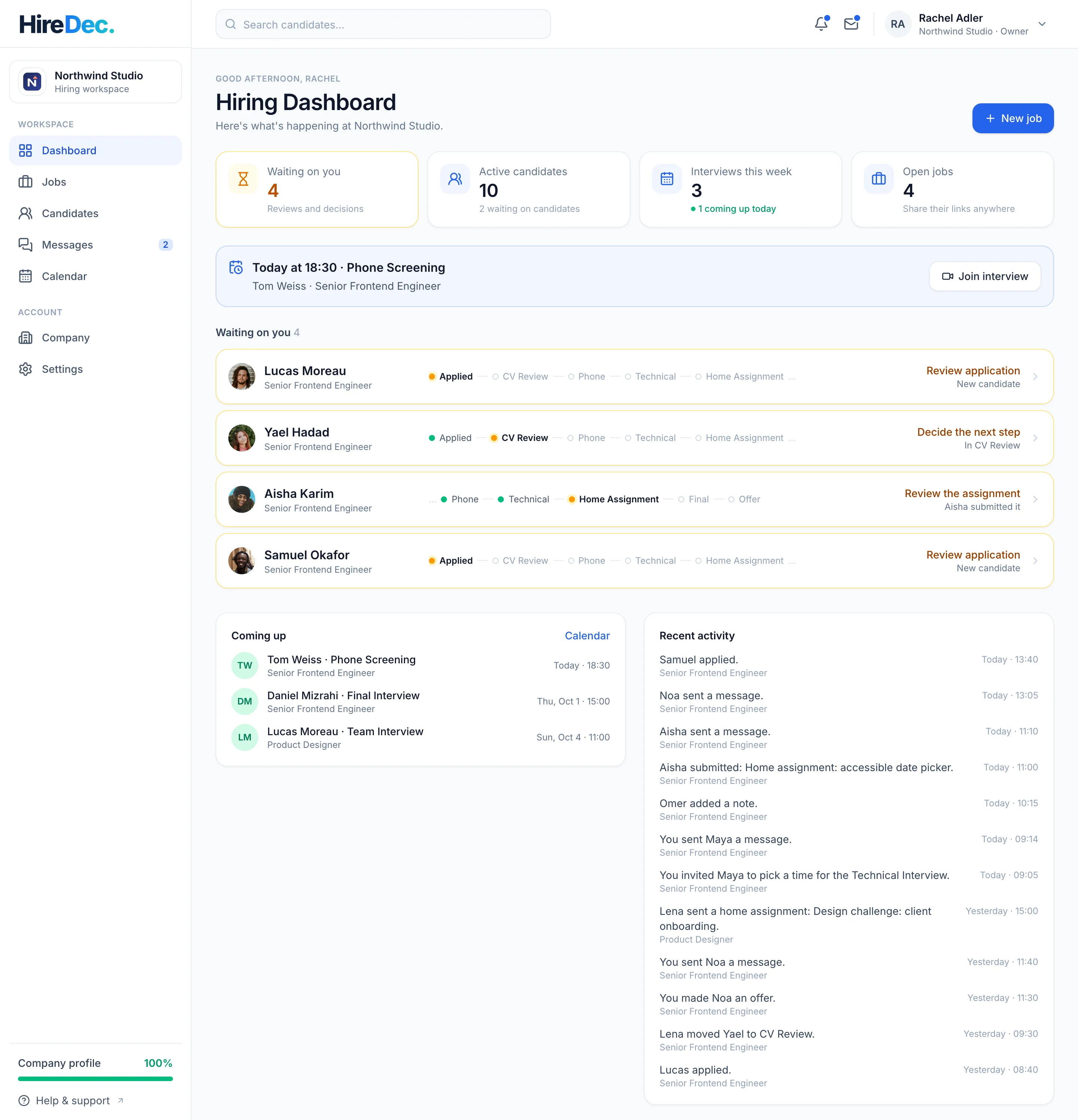
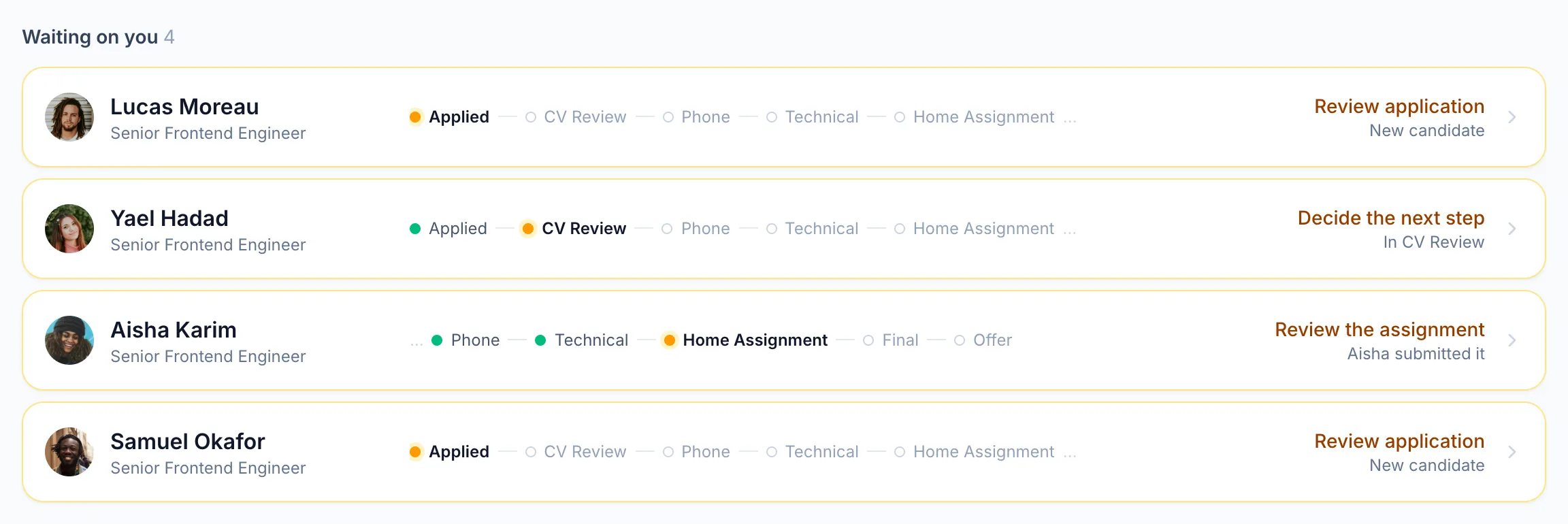
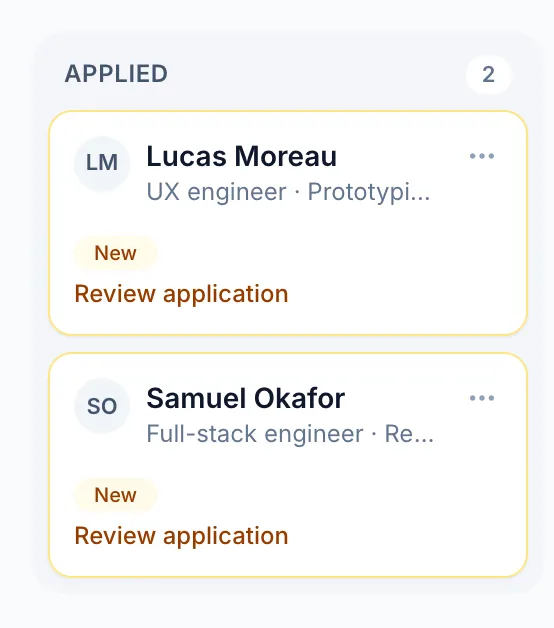
Every application says whose move it is. What's waiting on your team comes first, next to today's interviews and what's coming up.
Pipelines & workflows
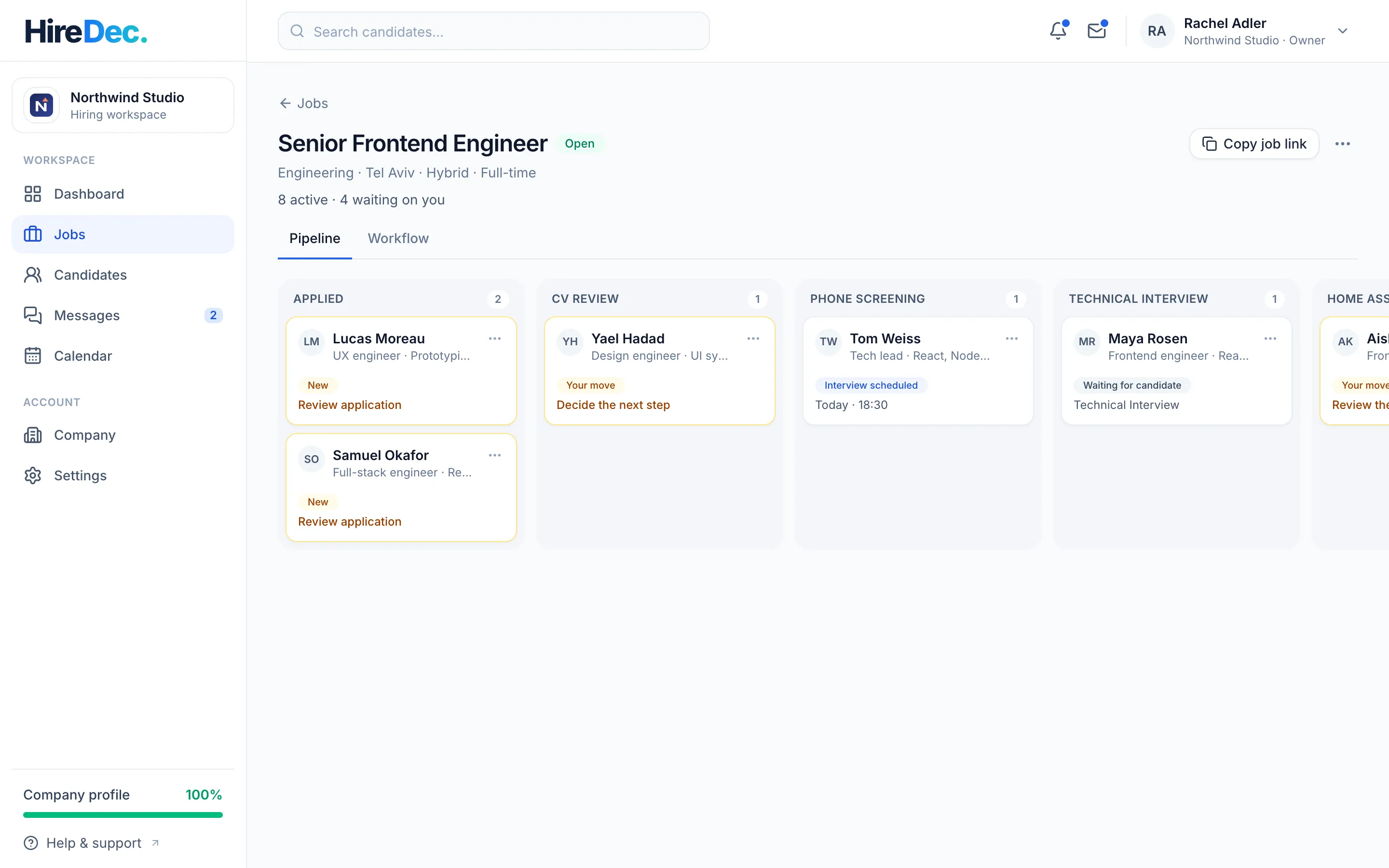
Every job has its own workflow. Candidates see it before they apply, and follow along as they move through it.
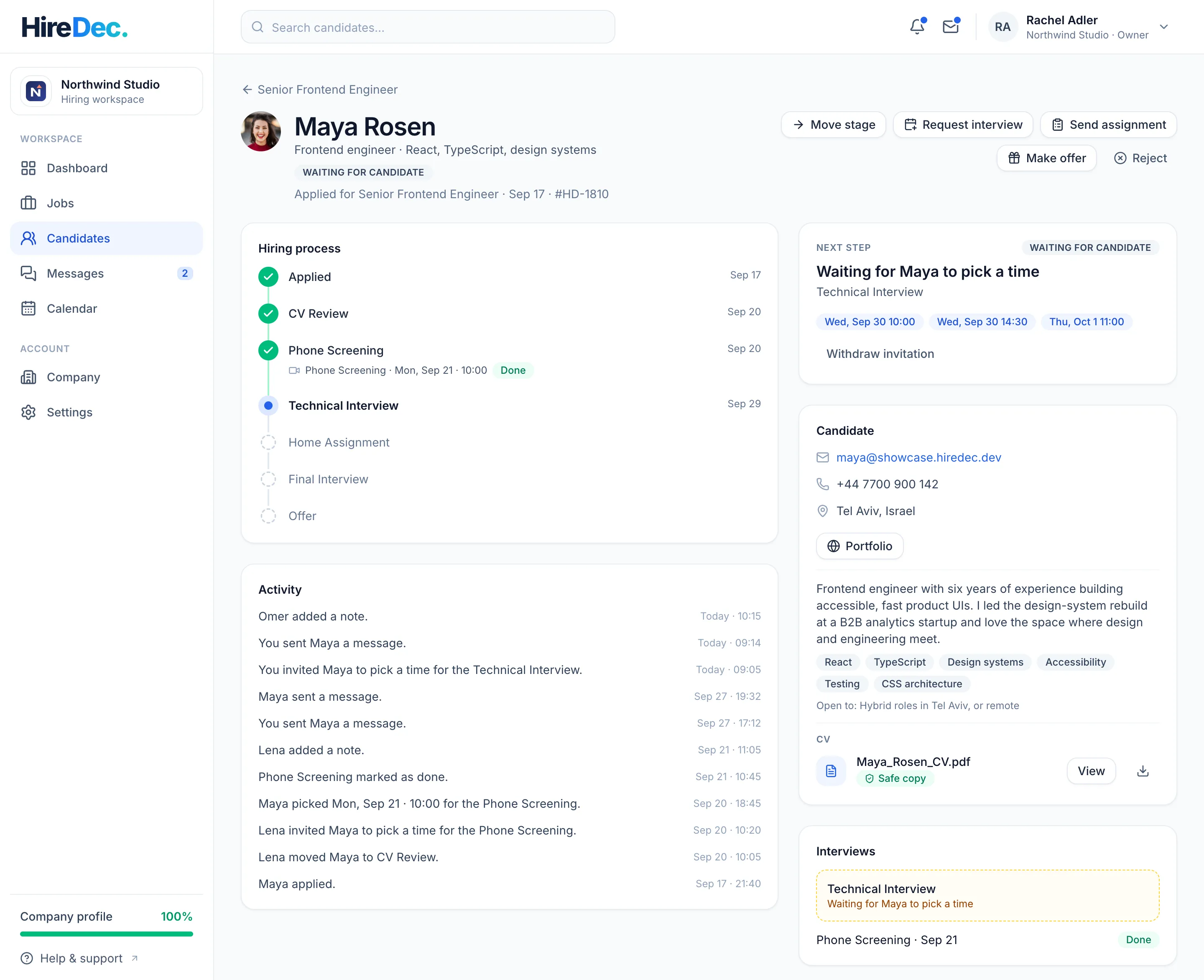
The candidate page
The profile and CV they applied with, the hiring process, interviews, assignments, messages and your team's notes, with the natural next move suggested.
Less coordination
Offer up to twelve interview times in your time zone. The candidate picks one in theirs, and it's on your calendar, with invitations still waiting for a time listed too.
Send a brief with a dataset or a Word template. See the hand-in once it's submitted, as a safe copy if you like.
When a candidate responds, everyone on the team is notified, and every open screen updates within about a second.
Maya's screen
You picked Tue at 10:00Technical Interview · Scheduled
Northwind's screen Live
Maya picked Tue at 10:00Interview scheduled
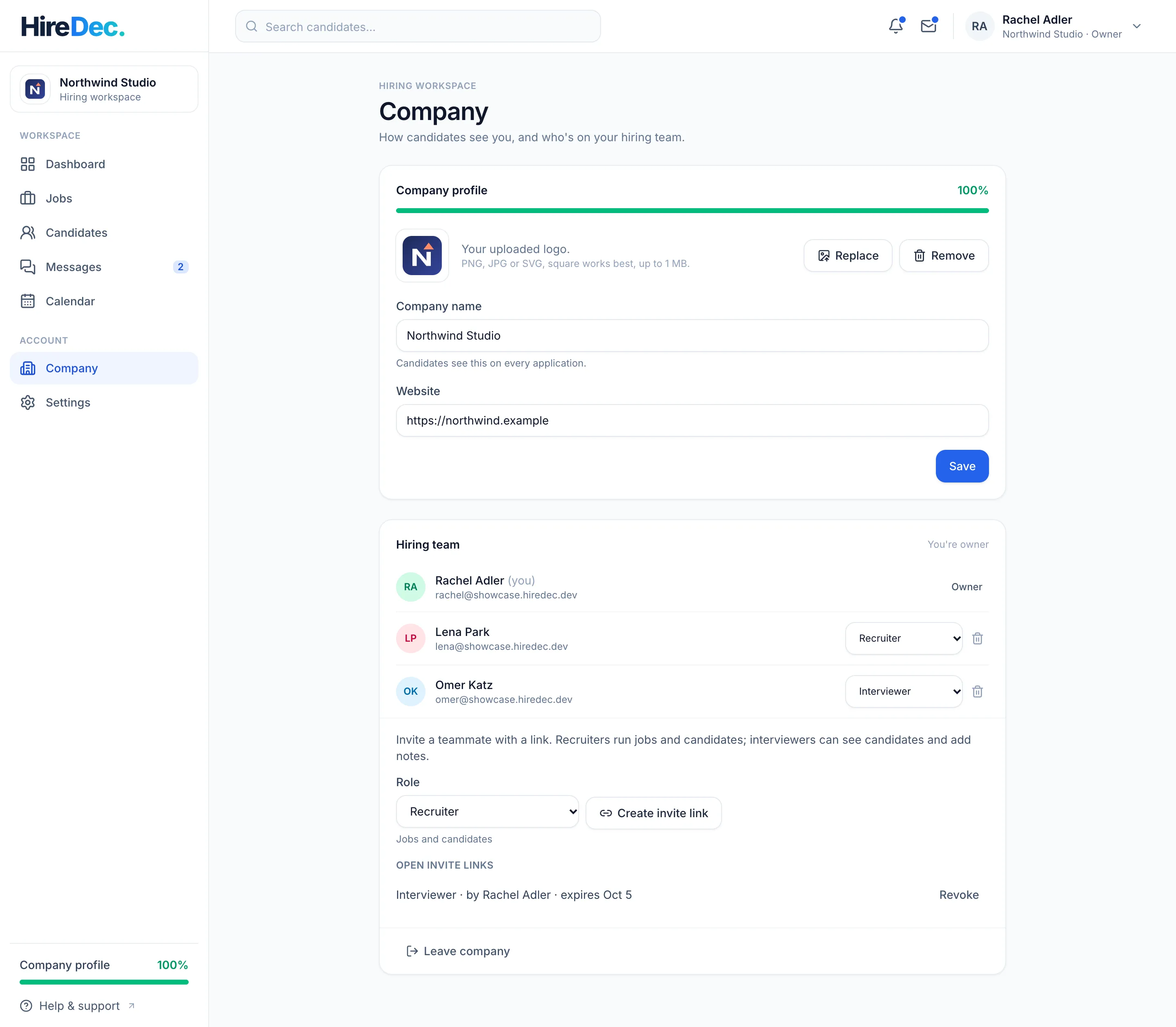
Company & team
Invite teammates with a link that carries their role. Links work once, expire after 7 days and can be revoked.
| Role | Can |
|---|---|
| Owner | Everything, including admins |
| Admin | Company, team, jobs and candidates |
| Recruiter | Jobs and candidates |
| Interviewer | Sees candidates and adds notes |
Roles are checked on the server for every action, not just hidden in the interface.
Messages & notes
Messages with a candidate live in the application they're about, in your team's shared inbox. Notes about a candidate stay with your team: candidates never see them.
How each side stays private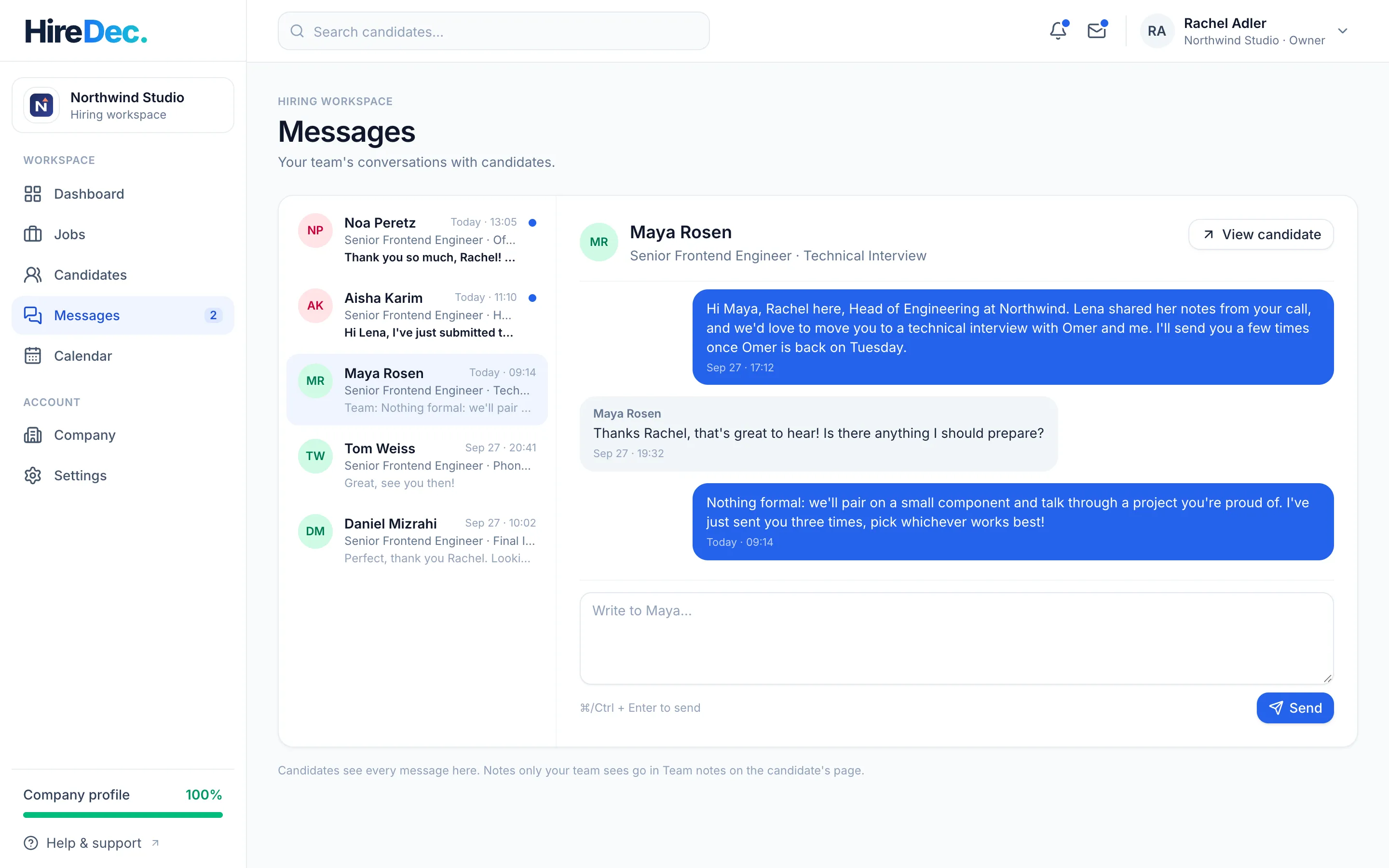
Guides
 For hiring teamsOffer interview times candidates can actually pickScheduling an interview shouldn't take four emails. How to offer times that work, what to include with an invitation, and how scheduling works in HireDec.Read the guide
  For hiring teamsDesign a hiring workflow your candidates can seeA clear, visible hiring process helps candidates prepare and saves your team a lot of "any update?" emails. How to design the stages, and how workflows work in HireDec.Read the guide
  For everyoneHow HireDec. checks every uploaded fileCVs, assignment briefs and hand-ins travel between people who don't know each other yet. Here's what happens to every file uploaded to HireDec., and what it means for you.Read the guide
 Questions & answers
Share your job's link. Candidates see the job and its hiring process upfront, and apply with a HireDec. profile and its CV. Or they find your job when they search on HireDec.
Yes, per job. Rename a stage and candidates see the new name; add one and candidates already in the process get it as upcoming; remove stages nobody is in.
The job's stages and where they are in them, the times you offer, assignments you send, your messages and your decision. Never your team's internal notes.
Not yet. Today, each interview keeps its time, meeting link and details with the application, and your calendar in HireDec. shows every interview across your jobs.
Pricing isn't published yet. If you'd like to join the early pilot, write to [email protected].
The early pilot
We're building HireDec. together with the people who experience hiring every day.
If you're a recruiter, an HR professional or a team interested in an early pilot, we'd love to hear what a better process looks like for you.