Pick a time, not a thread.
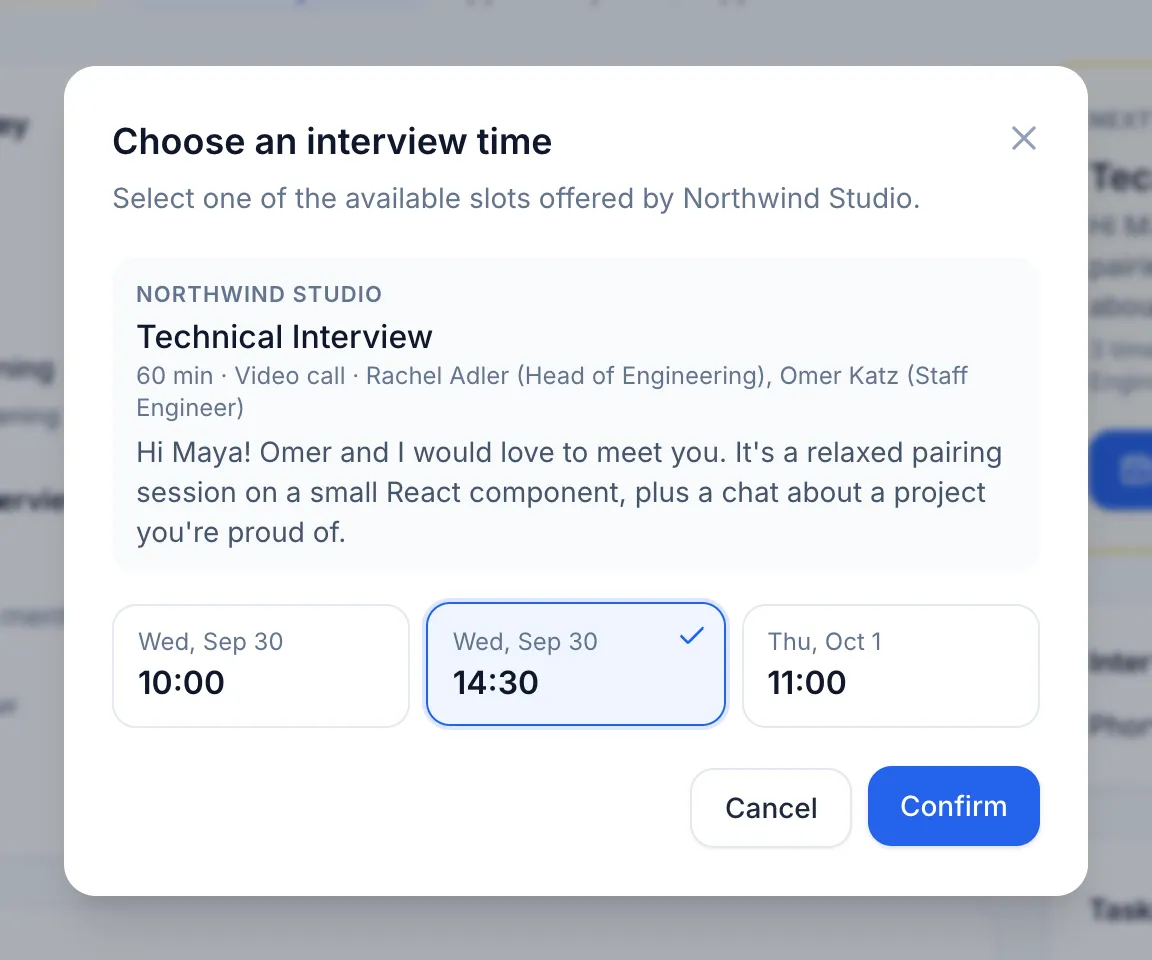
Companies offer interview times; you see them in your time zone and pick one. It lands on your calendar with the details and a Join button.

For candidates
Every application, interview and offer in one place, with the next step always clear, whether the company hires on HireDec. or not.

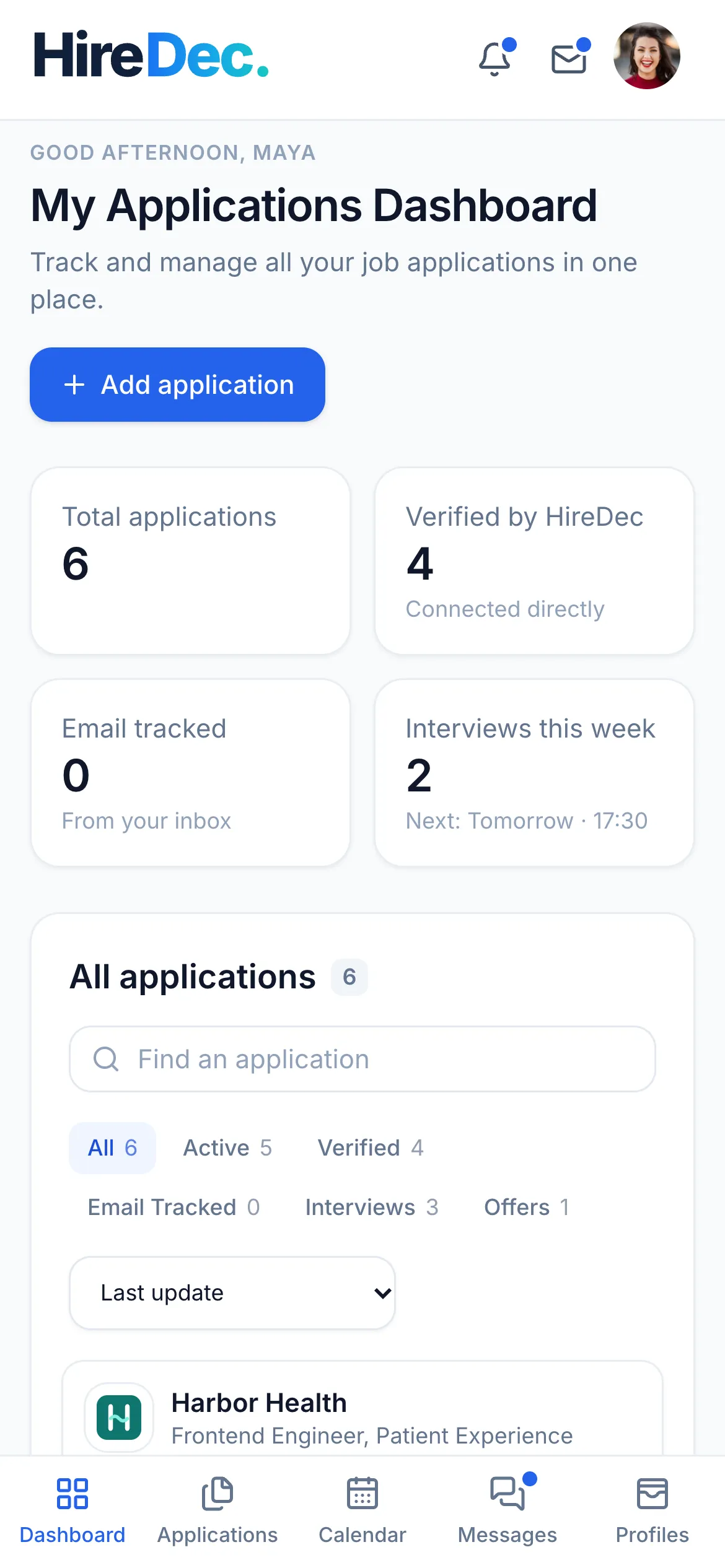
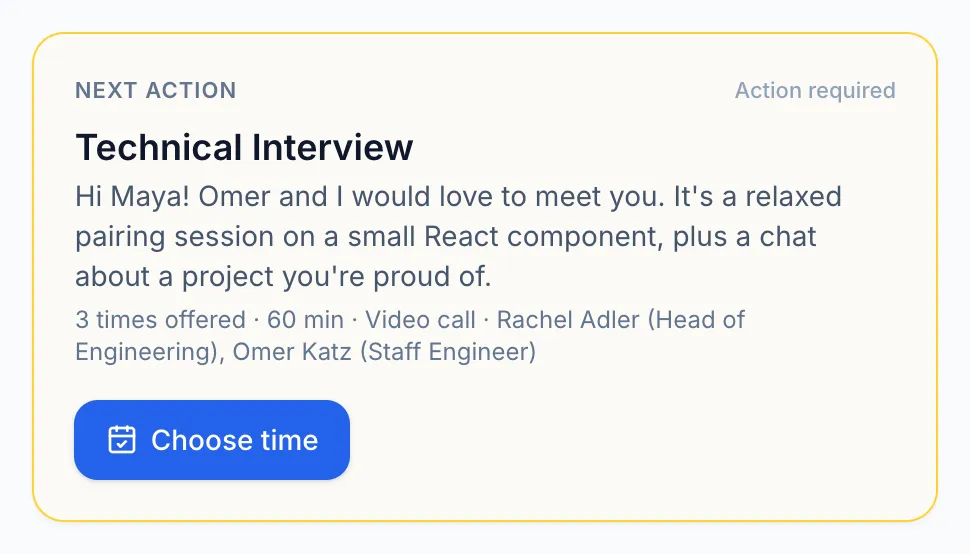
Know what's next
Every application tells you, in plain words, whose move it is. The ones waiting on you come first.
Tailored profiles
Going for more than one kind of role? Keep a profile for each, like a card in a wallet, and apply with the one that fits.
Tap a card to bring it to the front
What the company receives
“Tech lead” is your name for it. Only you see it.
What the company receives
“Design engineer” is your name for it. Only you see it.
What the company receives
“Frontend engineer” is your name for it. Only you see it.
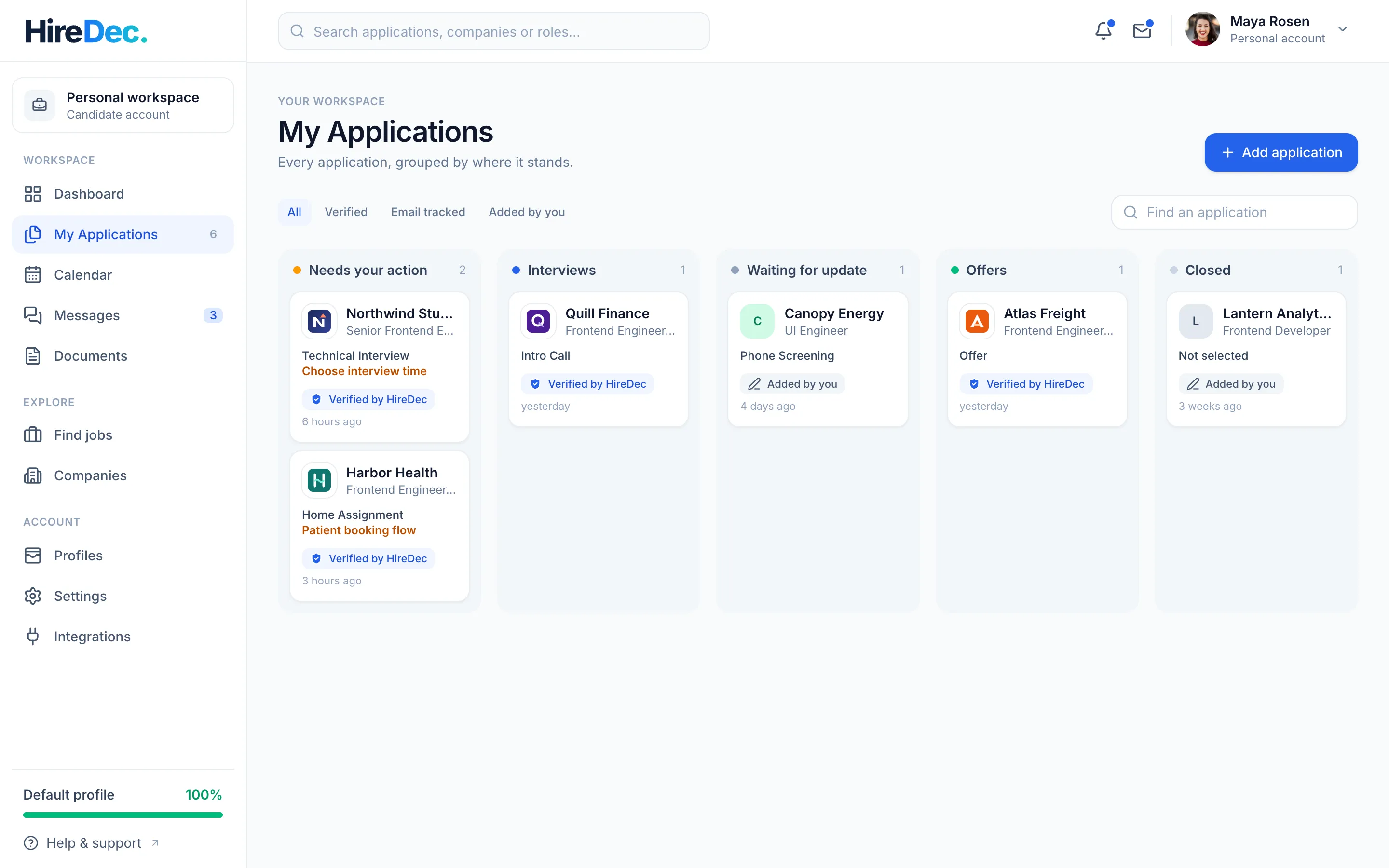
All your applications
Applications to companies on HireDec. update on their own. Add any other yourself, or track them from your inbox.
Every step
Companies offer interview times; you see them in your time zone and pick one. It lands on your calendar with the details and a Join button.
Open the brief and any files the company attached, then hand in your own, before the due date you can always see.
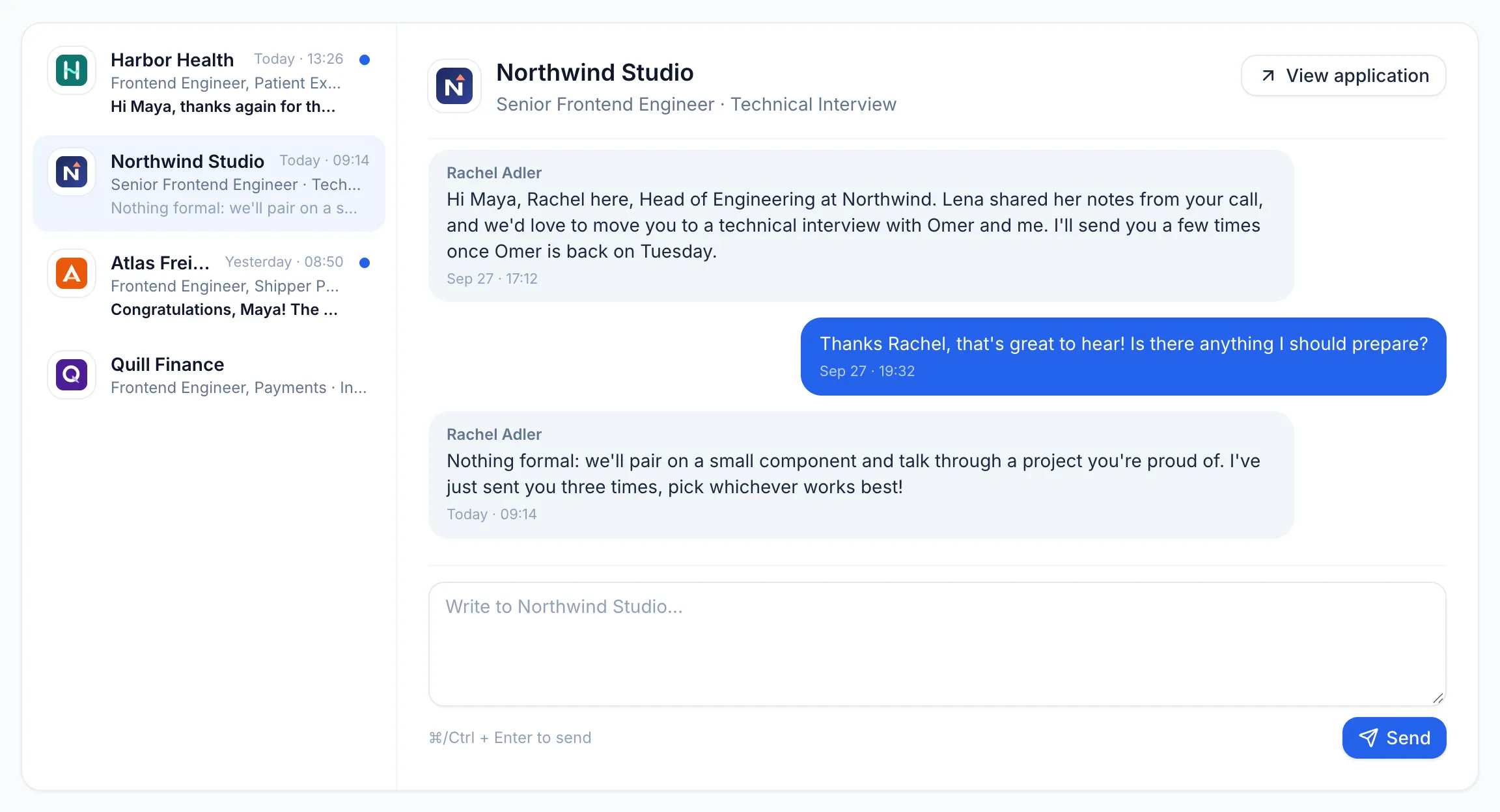
Message the hiring team in a thread that belongs to your application. Replies arrive live.
Find jobs
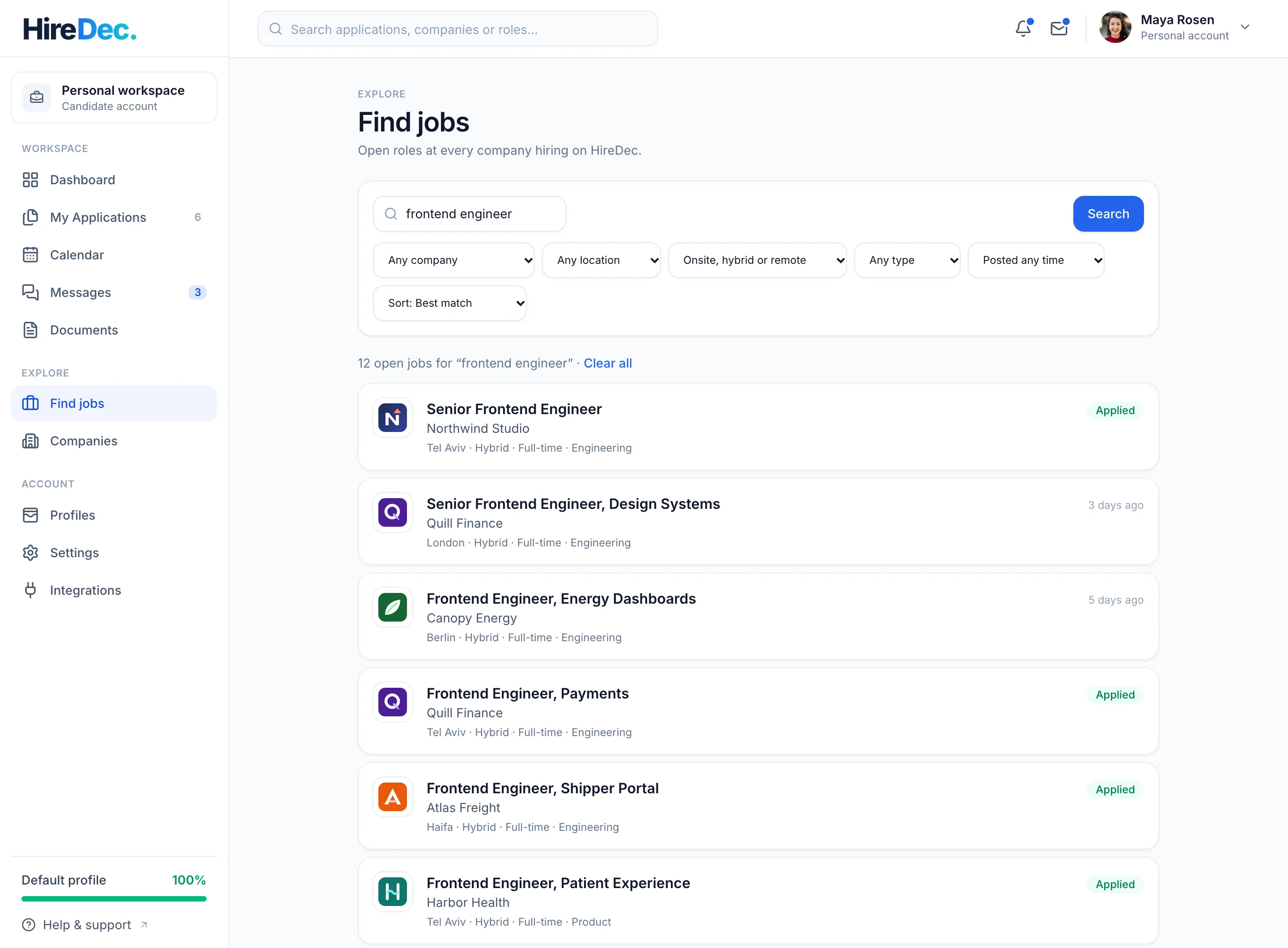
Search for “software engineer” and find a backend engineer role elsewhere too; type a company's name to see its jobs. The best matches come first.
Your privacy
When you apply, the company gets what it needs to consider you. Everything you keep for yourself stays that way.
On the go
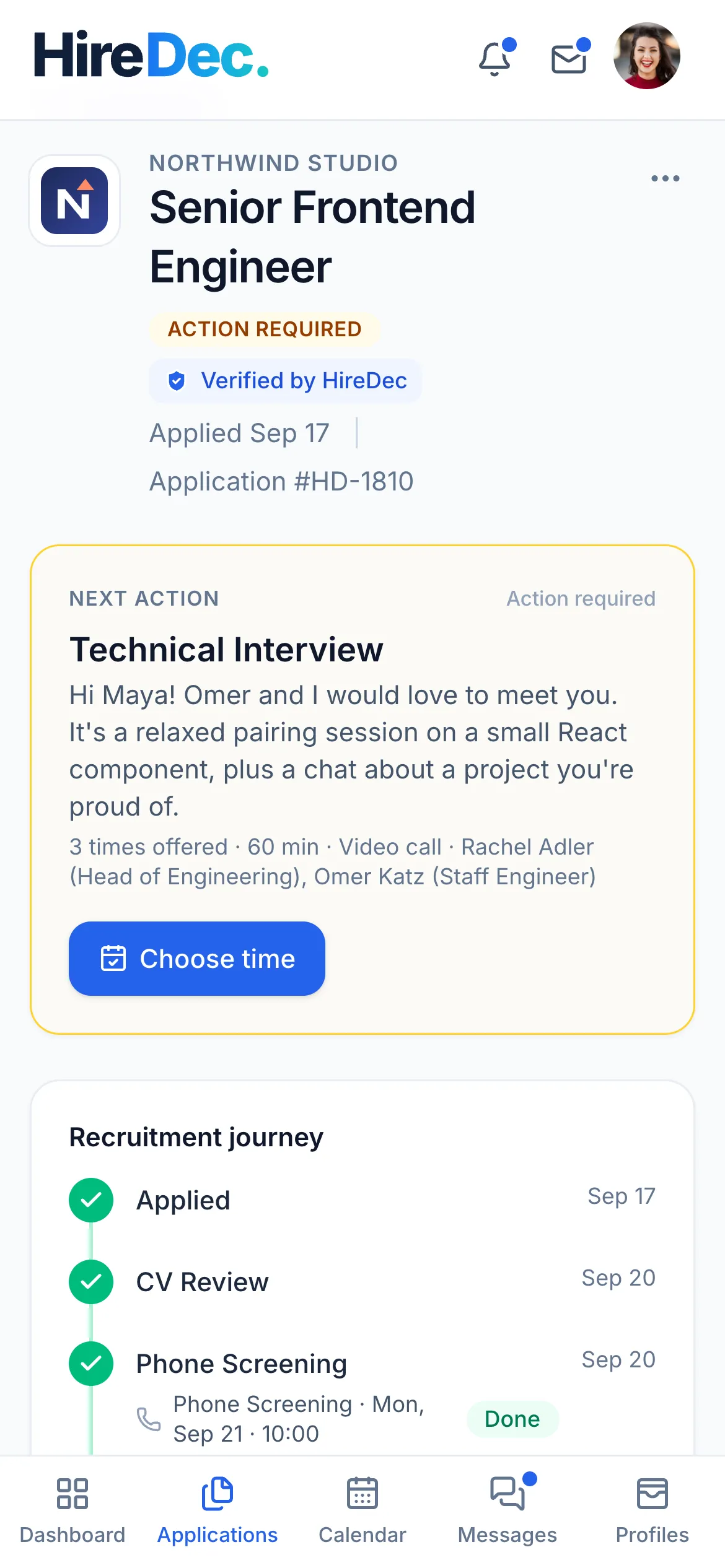
HireDec. works in any modern browser, on your computer and on your phone. Pick a time from the bus; check what's next before you walk in.
Guides
 For candidatesKeep every application in one placeA job search spreads across job boards, career pages, inboxes and calendars. Here's what to keep track of for each application, a weekly routine that keeps it under control, and how HireDec. does it for you.Read the guide
  For candidatesOne CV doesn't fit every roleApplying to different kinds of roles? Here's what's worth tailoring for each one, what you should never change, and how profiles in HireDec. keep each version ready to send.Read the guide
  For everyoneHow HireDec. checks every uploaded fileCVs, assignment briefs and hand-ins travel between people who don't know each other yet. Here's what happens to every file uploaded to HireDec., and what it means for you.Read the guide
 Questions & answers
No. Applications to companies that hire on HireDec. update on their own, marked Verified by HireDec. Any other application, you can add yourself, or track from your inbox by connecting Gmail or Outlook (read-only).
Your name and contact details, and a copy of the profile you applied with (headline, about, skills and links) with its CV, as they were when you applied. Never your profile's name, your private notes and to-dos, your CV labels or your other applications.
No. A company keeps the copy it received when you applied. Your edits apply to the applications you send next.
PDF and Word (.doc and .docx), as well as Excel, PowerPoint, ZIP, images and plain text for assignments. Documents with macros or scripts are refused; exporting to PDF usually solves it. How files are checked.
Yes. HireDec. works in any modern browser, on your computer and on your phone.
The early pilot
Create your account, set up a profile for the roles you're after, and follow every application from one place.